Annotations are short comments that sit beside a note, outside its text. Use them for reminders such as “confirm the time” or “Mia prefers the cafe near the market”, without cluttering the note. The example in this guide uses the note “Weekend plans”.
1. Write an annotation
- Open the note.
- At the top left of the note are two small buttons: the folder and the annotation icon. Tap the annotation icon.
- Type in the Add an annotation… field.
- Tap the send button on the right of the field.
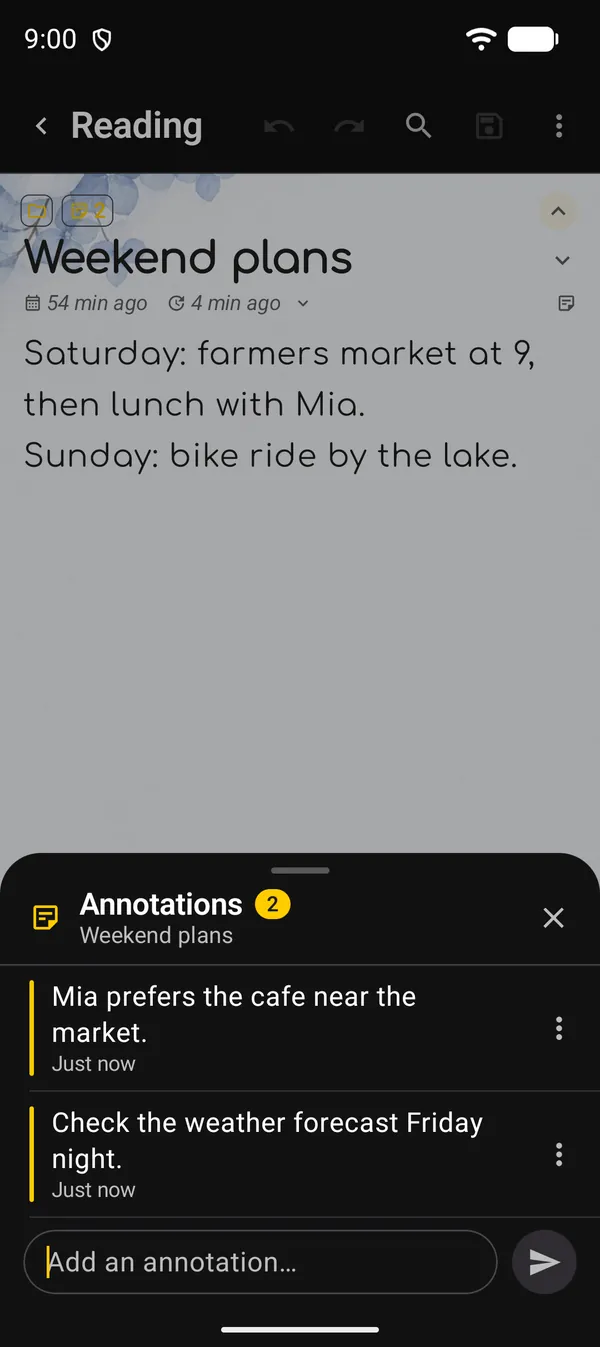
The Annotations sheet shows the note’s name and how many annotations it has. The newest is on top, with the time it was written.
Another way in: the editor’s ⋮ → Tools → Annotations.
The note’s text and its last-edited date don’t change. On a note that hasn’t been saved yet, the button is disabled.
2. Edit, copy or delete
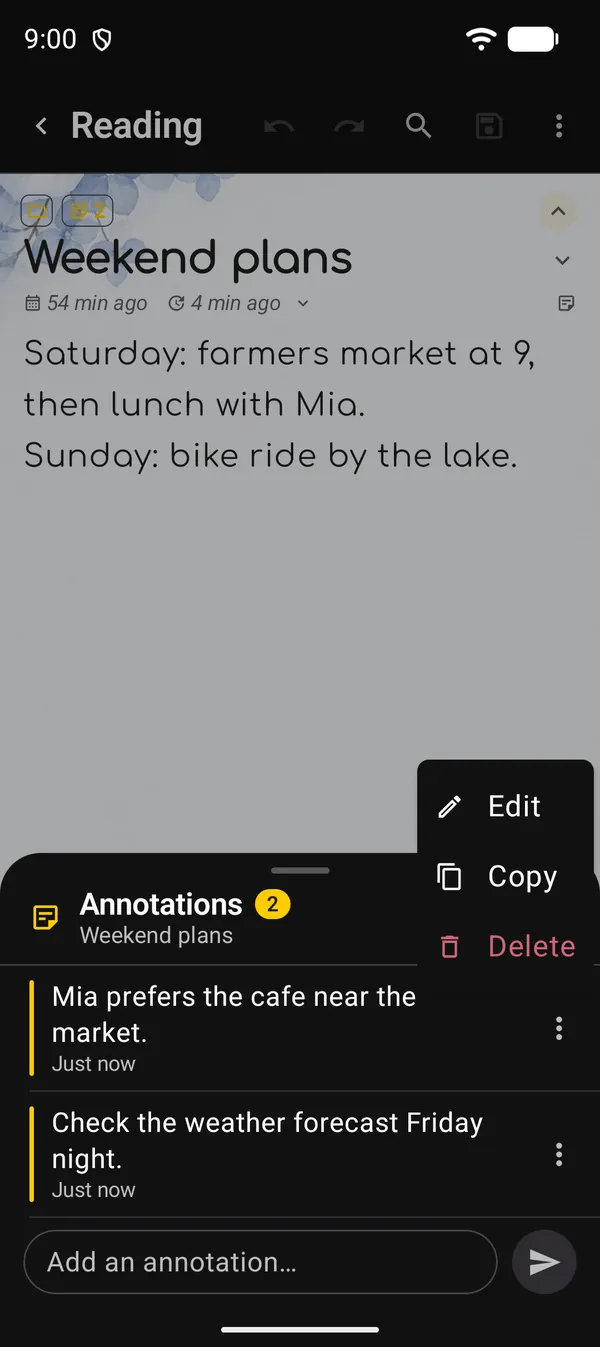
Tap the annotation’s ⋮, or touch and hold it:
| Option | What it does |
|---|---|
| Edit | Puts the text back in the field, with the Editing annotation label. Change it and tap the ✓. The X cancels |
| Copy | Copies the annotation’s text |
| Delete | Asks for confirmation and deletes it for good. It can’t be undone |
An edited annotation gets “· edited” next to its time.
3. Find notes with annotations
- In the list: the note’s card shows the same annotation icon, alongside its other markers.
- In search: tap the Contains chip and tick Annotations. A word search doesn’t look inside annotation text.
- In a smart folder: use the condition Contains → Annotations.
Next guides
FAQ
Does an annotation show up in the note's text?
No. It lives in a separate sheet. The note's text stays as it was.
Does adding an annotation change the note's edited date?
No. The note keeps its last-edited date and its place in Last edited order.
Are annotations included in backups?
Yes. They go along with the note. See the backup guide.